Your emails arrive when your recipients are actually reading.
Fashionably late works for parties. It works for email, too. If you work across time zones and keep doing the mental math on when to hit send, this free browser plugin helps you schedule emails in Gmail at the right local time for your recipient, automatically. Privacy-first by design.
What it does
A few quiet improvements to scheduling you already do — without changing how Gmail works.
The right local time for your recipient
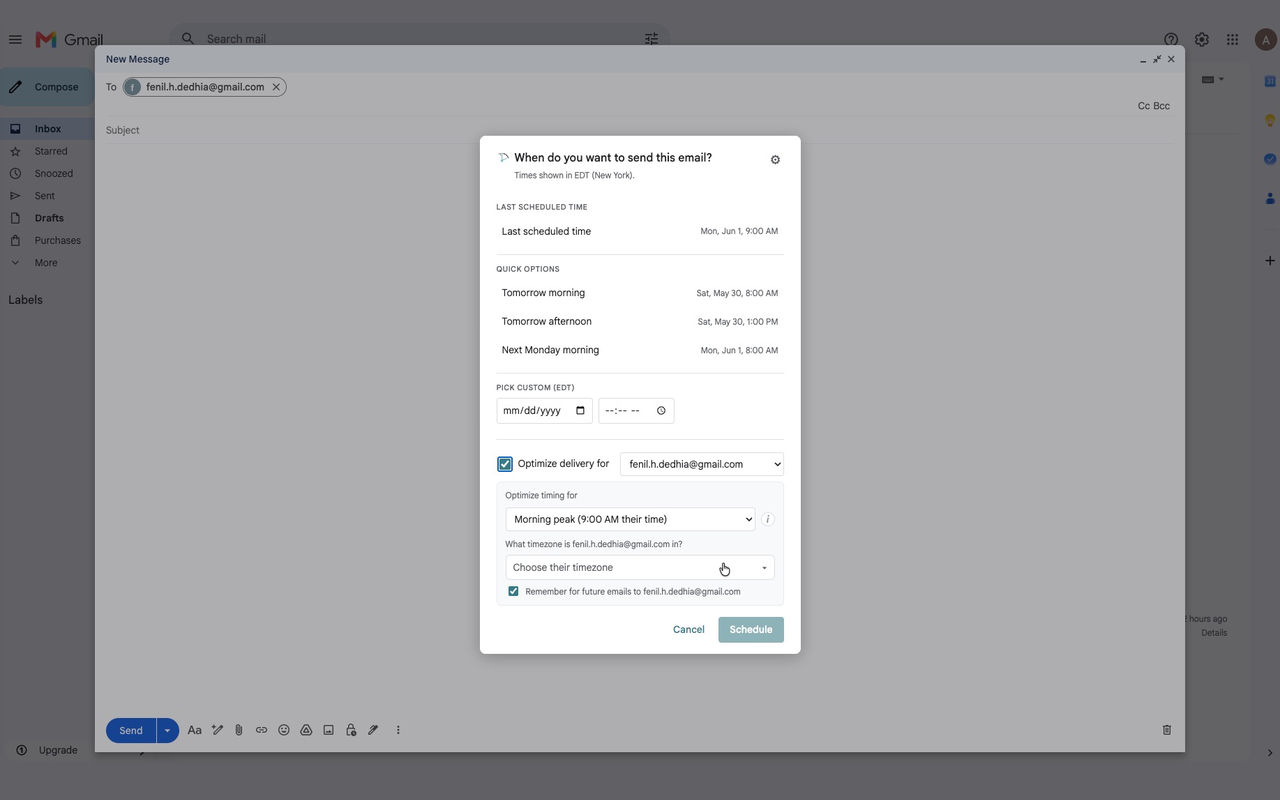
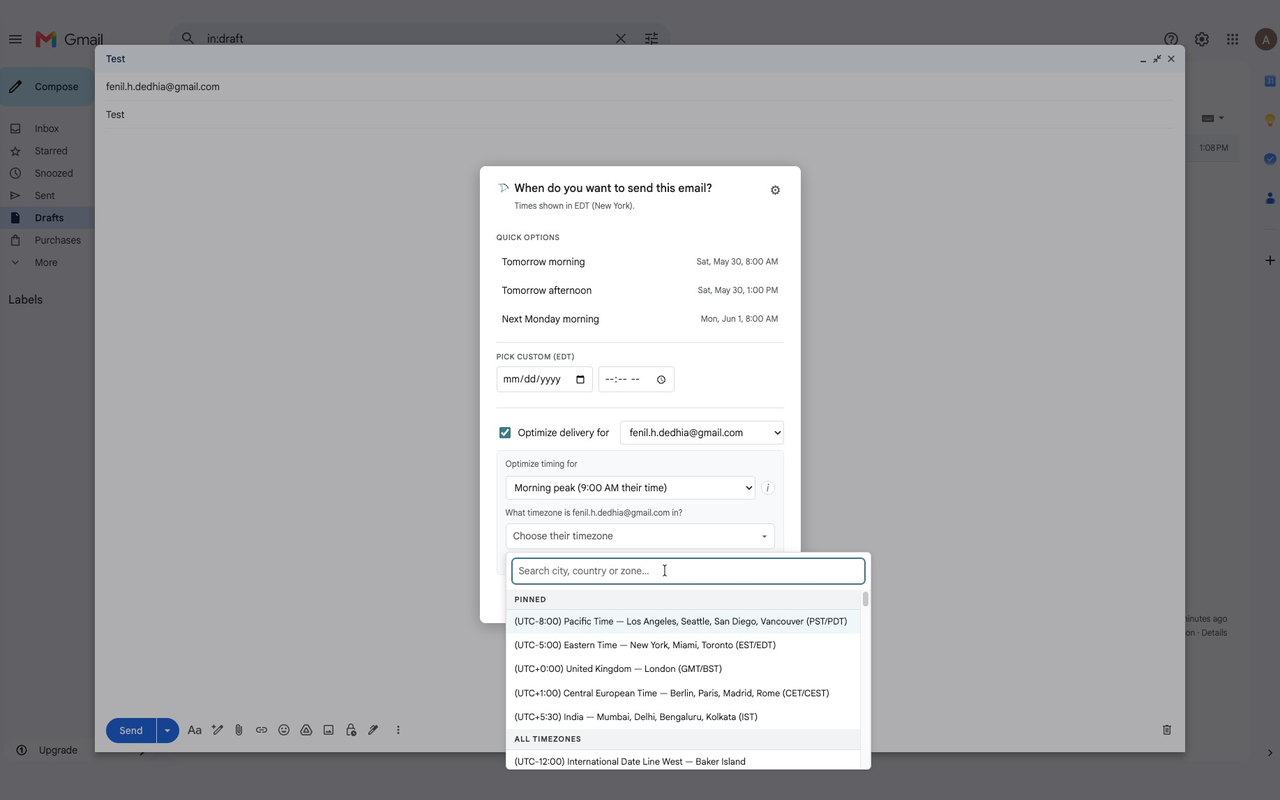
No more working out what 2 p.m. your time means for someone three zones away. When you schedule an email, Fashionably Late reads the recipients from your compose window and lets you pick the one whose timing matters most, then offers a morning or midday slot in their local time zone, so your message arrives fashionably late (😉) during their working day instead of getting buried overnight. Pick someone's time zone once and it's remembered, so you never re-pick it for the same person.
Built into Gmail's own Schedule Send
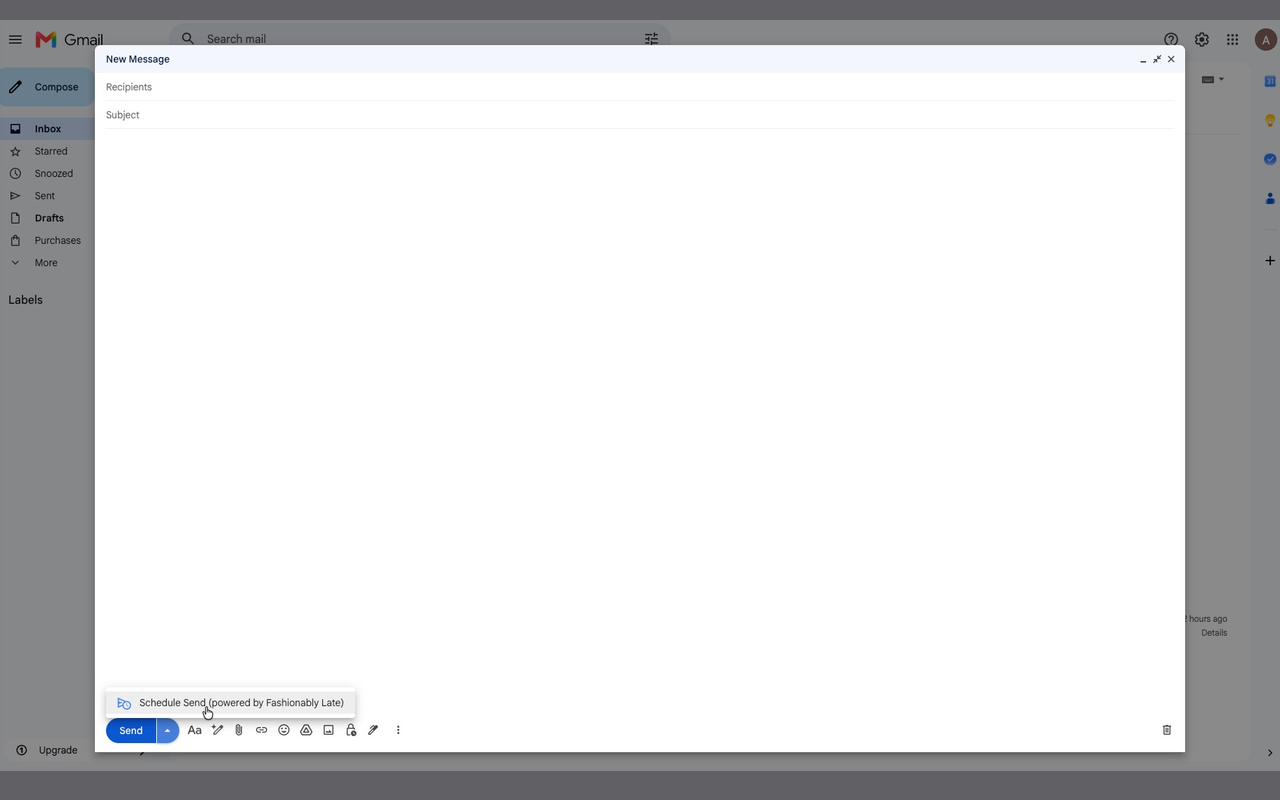
Nothing new to learn. Fashionably Late makes Gmail's own Schedule send smarter instead of replacing it: the option becomes Schedule send (powered by Fashionably Late), and the familiar modal gains a few timezone aware options. Your scheduled emails stay right where Gmail puts them, in the Scheduled folder, with Gmail's own interactions and labels preserved.
The time zones you work across, one tap away
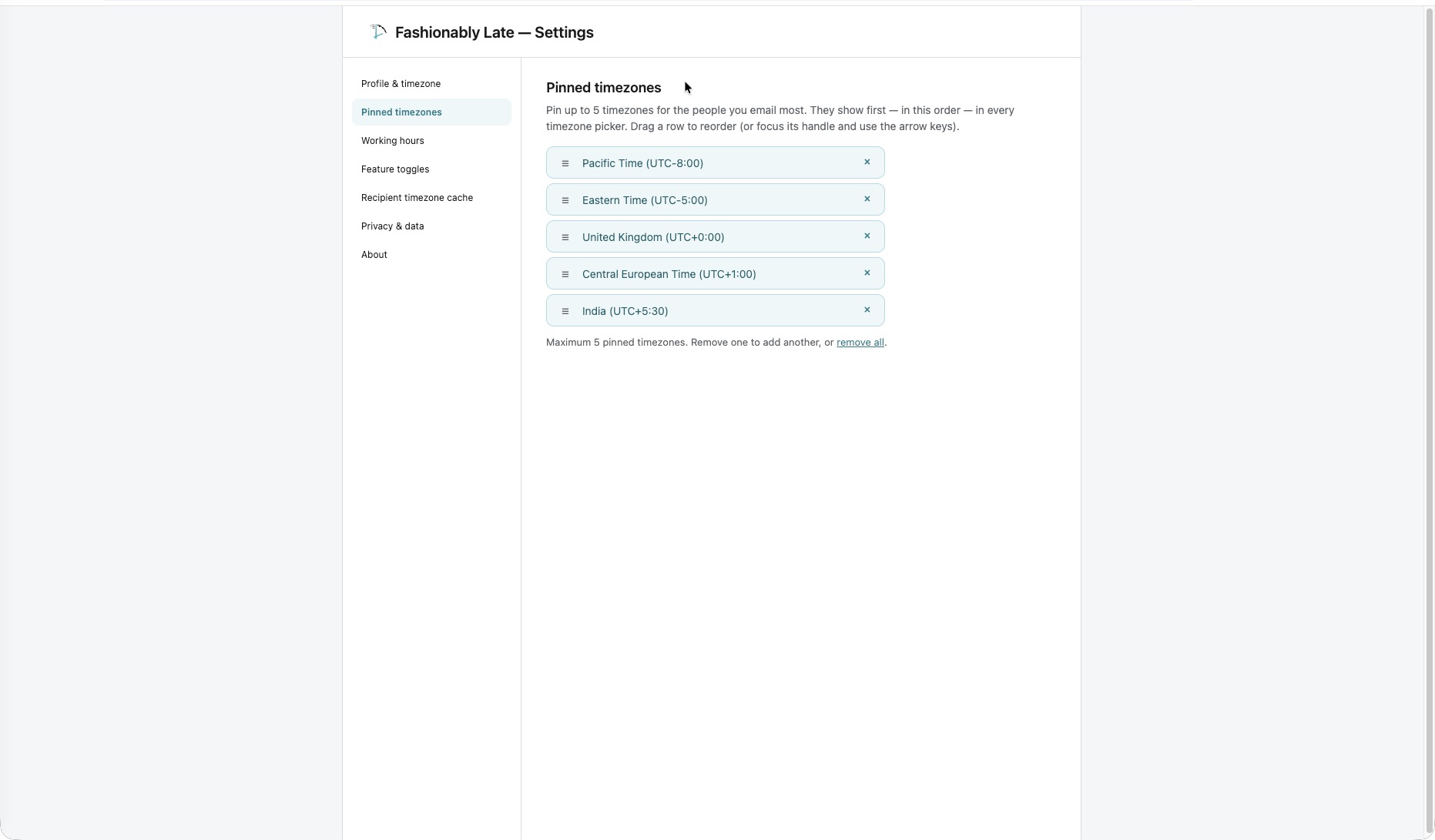
Fashionably Late comes with a searchable, plain-language time zone picker — find a zone by city, country, abbreviation, or UTC offset. Pin the handful of zones you work across most often and they sit right at the top, so choosing the right one when you schedule takes a single tap instead of a hunt.
A gentle nudge before after-hours sends
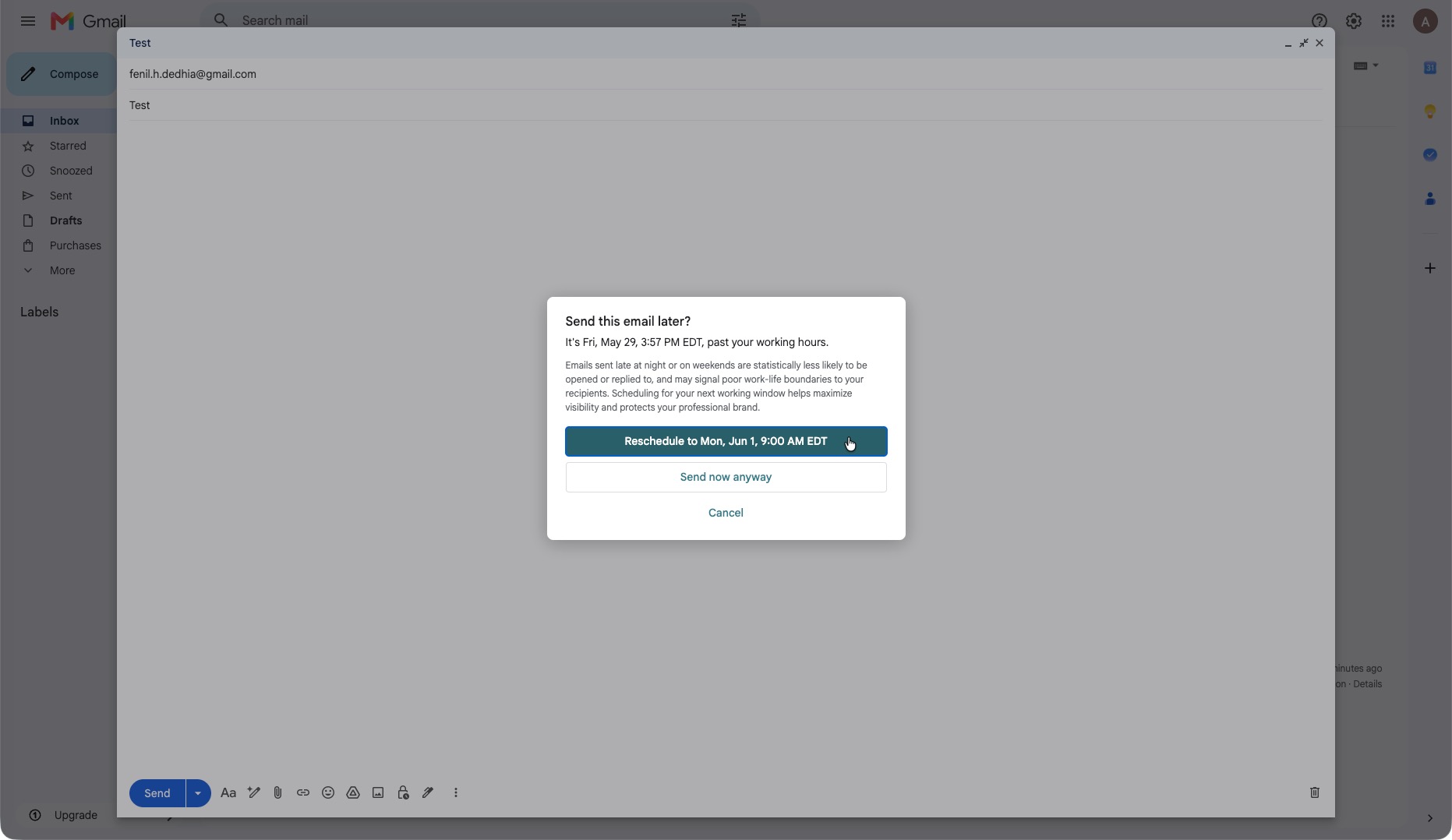
Fashionably Late double-checks before a regular Send goes out past the working hours you set — with three clear choices: send anyway, snap to your working hours, or cancel. Scheduling a message for later is always fine and never warns; deliberately timing an email for a recipient's window is exactly what the product is for. You stay in control either way.
Highlights
Thoughtfully small. Does its one job well.
No timezone math
No more timezone mental math or daylight-saving guesswork.
Working-hours guard
A soft warning before a regular send goes out after hours.
Native Gmail feel
Enhances Gmail's own Schedule send feature rather than replacing it.
Stays in your Scheduled folder
Scheduled emails live in Gmail exactly as they always have.
Open source
Apache-2.0 licensed — read, fork, and audit the whole thing.
Accessible by design
Built to WCAG AA standards, with full keyboard support.
Local by default, private by design
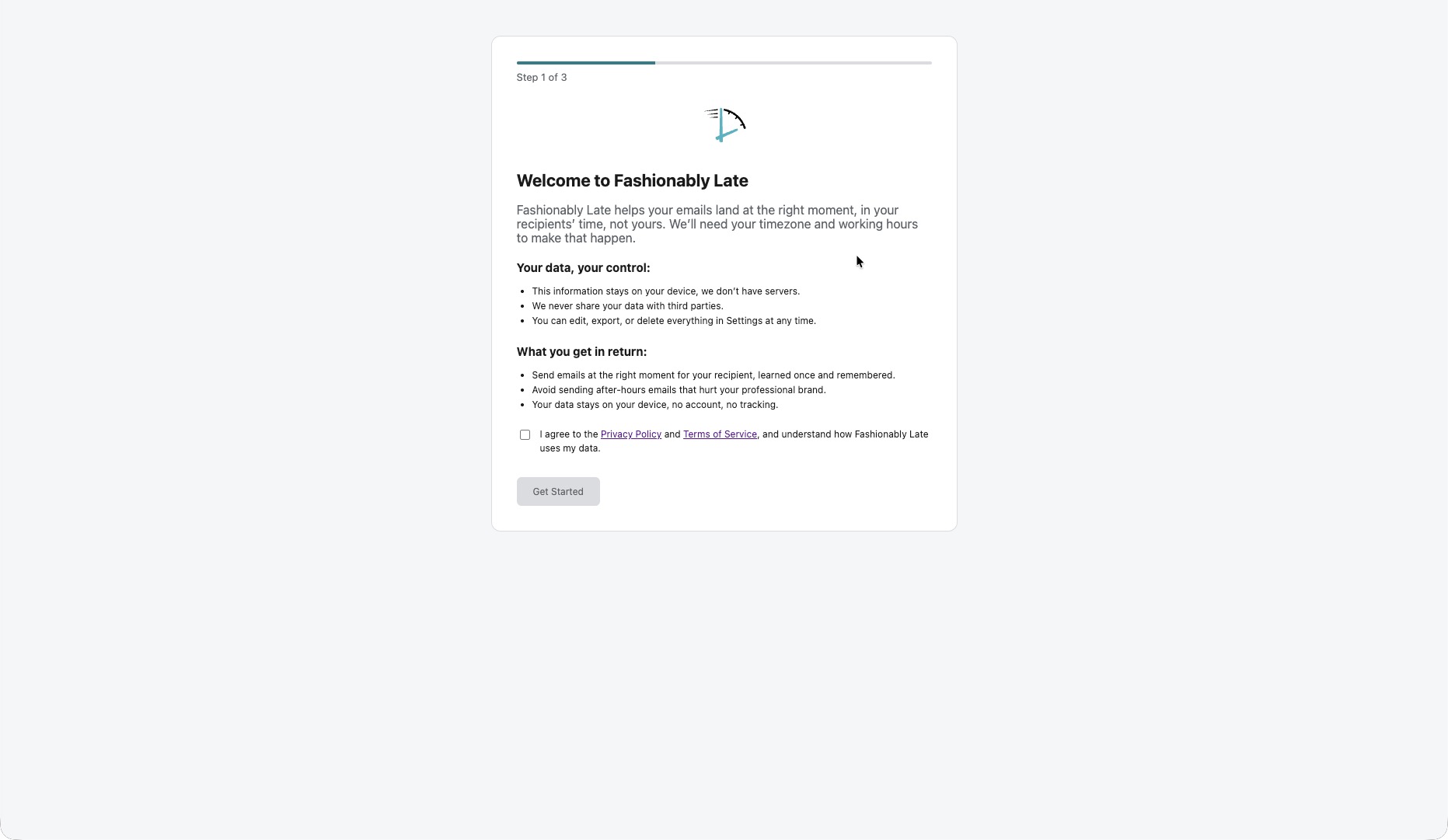
Fashionably Late runs entirely in your browser, and nothing about your email ever leaves your device. There's no account to create and no inbox to connect.
- Stored entirely on your device — there is no Fashionably Late server, account, or backend.
- No Google sign-in and no Gmail API. It reads only the recipients in your compose window to suggest good send times — never your message content.
- No tracking, no telemetry, no analytics. It never tracks opens or builds profiles, and collects no usage data.
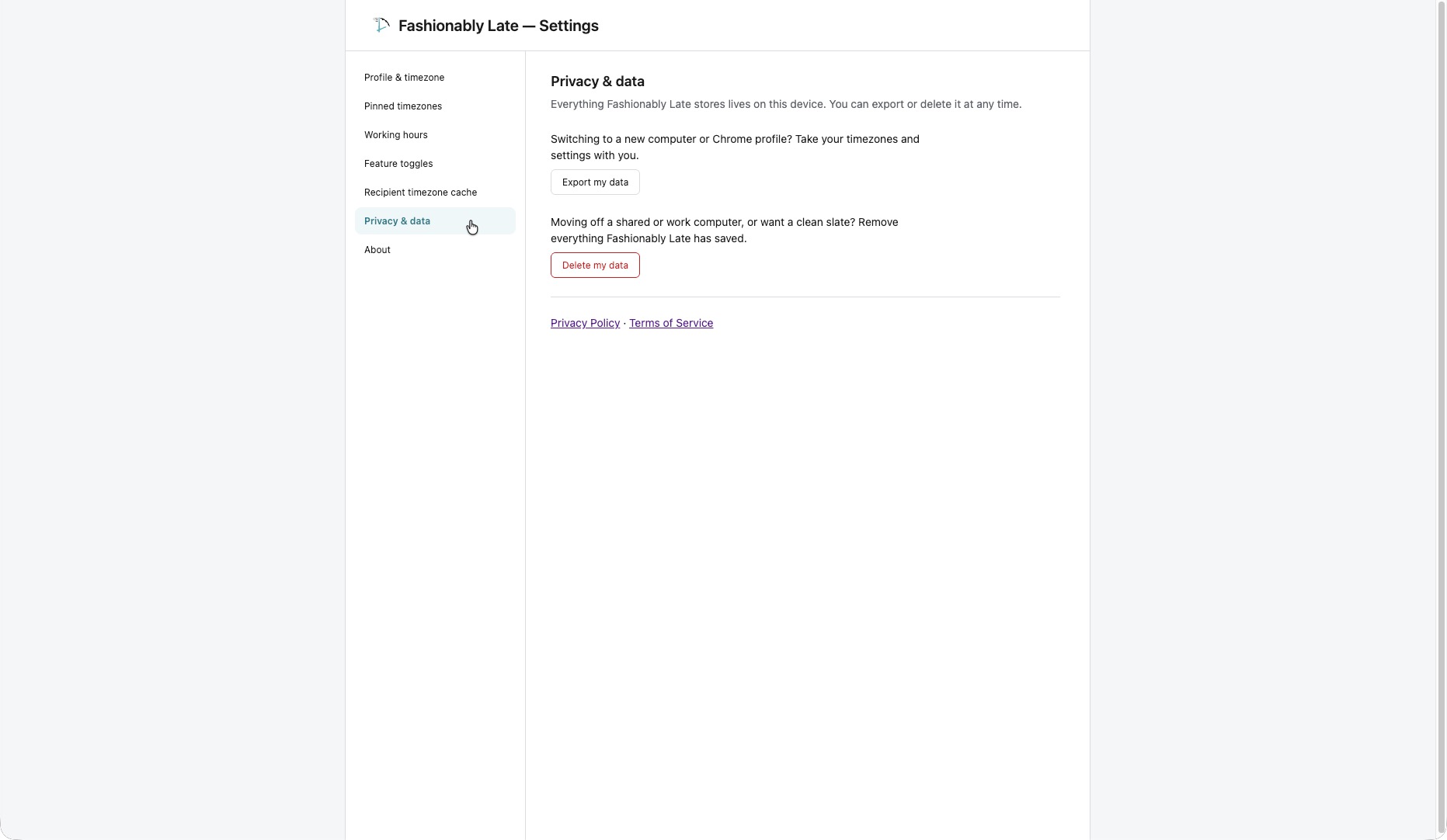
- You can edit, export, or delete everything from Settings at any time.
Read the full Privacy Policy and Terms of Service.
A closer look
Real screenshots from the extension running inside Gmail.